Framing speakers in 9:16: why centre crops fail
Turning a wide 16:9 recording into a vertical 9:16 clip throws away more than two thirds of the picture. What you keep decides whether the clip looks professional or broken.
Why a centre crop fails
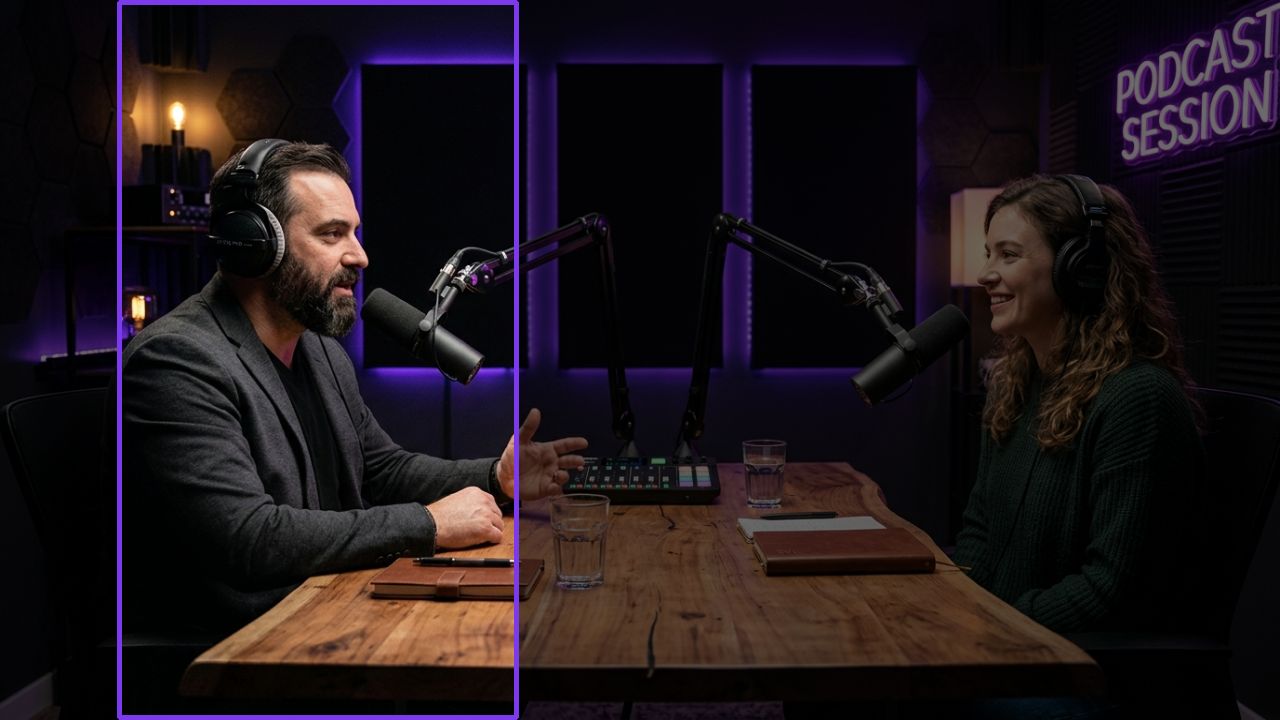
A fixed centre crop works for a single presenter who never moves. Podcasts and interviews are different: two or three people sit apart, and the person talking is rarely in the middle. A centre crop shows the gap between them, or half of each face.
Three rules for good vertical framing
1. Keep faces whole
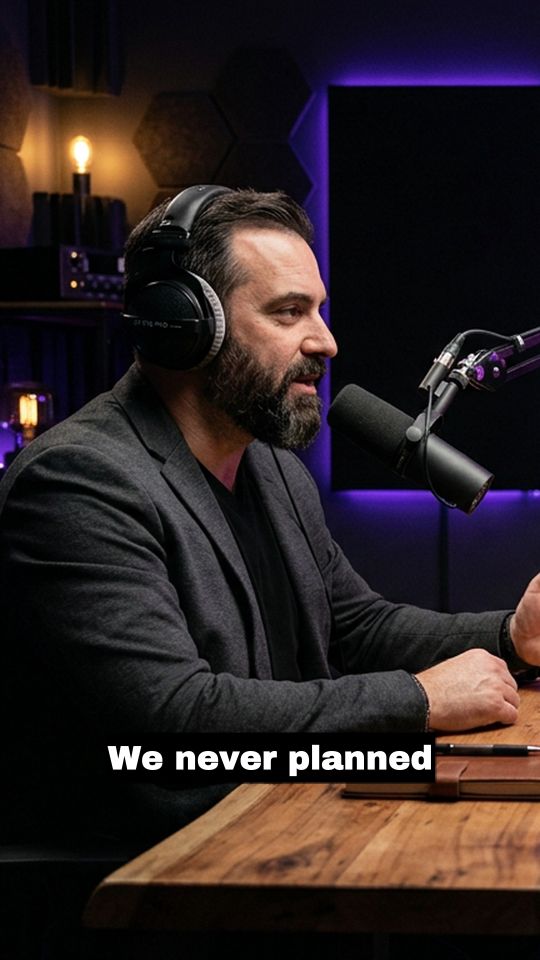
Nothing looks more wrong than a head cut off at the eyes. The crop window should always contain the speaker’s whole face with a little headroom, even when they lean or gesture.
2. Hold still
A crop that drifts to follow every small movement feels seasick. Real camera operators hold the shot and only move when they must. Good automatic framing does the same: it stays locked while the speaker stays roughly in place.
3. Change framing on real cuts
When the original video cuts from one camera to another, the vertical framing should change on exactly that frame, not a few frames later, which shows up as a jump. Between cuts, it should not invent its own.
Multi-speaker shots
When two people share a wide shot and both talk, the framing has to decide who matters right now. Following the active speaker, while avoiding rapid back-and-forth switching on short interjections, keeps the clip watchable.
How ContentVeo does it
ContentVeo tracks the faces in the wide shot and picks the person who matters for each moment. The 9:16 window holds still while that person stays put and changes on the recording’s own scene cuts.
See how your own footage frames: start free with 60 minutes a month.